
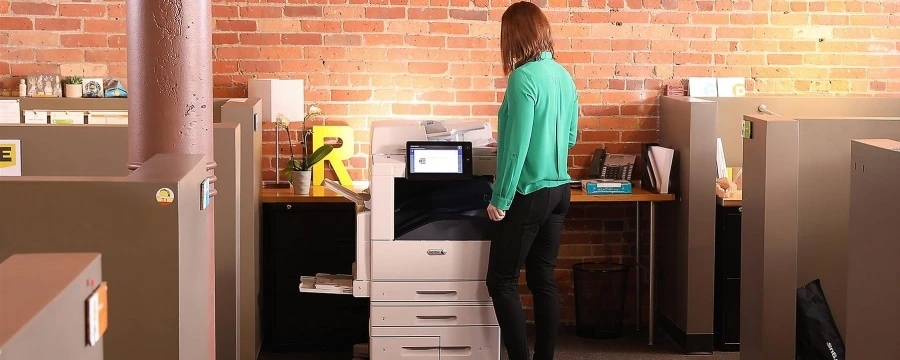
In a law firm, a copier is more than just office equipment. It is a silent participant in every case.
From printing legal documents for filings to scanning discovery packets and preparing trial binders,
your copier processes sensitive information daily.
The wrong device can slow attorneys down, expose confidential data, and quietly inflate costs.
The right copier for a law firm, however, becomes a productivity engine, supporting secure workflows,
meeting compliance demands, and keeping pace with tight deadlines.
Choosing wisely is less about brand loyalty and more about aligning technology with how your legal office actually works.
Secret #1: Start With a Clear Picture of Your Firm’s Real Document Needs
Before comparing models, get honest about usage patterns across your firm. Many law offices overestimate what they need and end up paying for unused capacity.
Key questions to answer:
- How many pages do you print and scan monthly, firm-wide, not just per department?
- Is most of your output black-and-white, or do exhibits and presentations require color?
- Are you supporting one office or multiple locations that need consistent setups?
This baseline helps narrow options and prevents overbuying—especially important when evaluating NYC copier leasing for law firms where space and budgets are tight.
Secret #2: Make Security a Non-Negotiable Parameter
Legal documents demand airtight protection. Client trust and professional responsibility depend on it.
Modern copiers should actively reduce risk, not introduce it.
Look for capabilities such as:
- Secure print release that requires user authentication at the device
- Encrypted scanning and hard drive protection
- User-level permissions that limit access to sensitive files
These features are foundational to effective law firm print management solutions and are especially critical when multiple staff members share devices throughout the day.
Secret #3: Match Speed and Capacity to Legal Deadlines
Speed looks good on paper, but reliability under pressure matters more. Filing deadlines, last-minute edits,
and trial prep don’t allow room for device failures.
Evaluate:
- Pages per minute (PPM) that realistically support peak workloads
- Paper capacity that minimizes reloads during large print jobs
- Automatic duplexing to speed output and reduce paper waste
Secret #4: Treat Scanning and Digital Workflows as First-Class Features
Modern legal work is hybrid—part paper, part digital. Your copier should bridge that gap seamlessly.
Essential capabilities include:
- OCR that converts scanned files into searchable, editable PDFs
- Integration with document management systems used by legal teams
- Cloud and network compatibility for remote access and collaboration
These features reduce time spent hunting for files and help firms transition smoothly toward managed print for legal environments.
Secret #5: Look Beyond the Sticker Price
The purchase price of a copier tells only a fraction of the story. Long-term costs often outweigh the initial investment.
Consider:
- Whether buying outright makes more sense than leasing
- Maintenance, toner, and parts costs over the device’s lifespan
- Downtime expenses when equipment fails
For many firms, leasing provides predictable monthly expenses, built-in service, and flexibility to upgrade.
Secret #6: Partner With a Vendor That Understands Legal Workflows
Technology alone doesn’t solve problems—expert support does. A vendor experienced with law firms understands the importance of uptime, discretion, and responsiveness.
Prioritize providers that offer:
- Fast service response times with clear SLAs
- Knowledge of legal workflows and compliance expectations
- Ongoing optimization, not just installation
Conclusion
The right copier aligns with how your law firm operates today and where it’s headed tomorrow.
Focusing on security, workflow efficiency, realistic capacity, and long-term value helps avoid costly mistakes.
With Xerox® solutions delivered and supported by Flynn’s, firms gain dependable performance, strong security,
and expert guidance tailored to legal environments. Beyond printing, it’s about protecting your practice and empowering your team.
FAQs:
Are Xerox® copiers secure enough for confidential legal documents?
Yes. Xerox® devices are built with layered security, including authentication, encryption, and data protection features designed to safeguard sensitive legal information throughout the document lifecycle.
Can Xerox® copiers integrate with legal case management software?
They can. Xerox® copiers support integration with common document management and network systems, allowing scanned files to move directly into existing legal workflows without manual handling.
How much does a Xerox® copier cost for a law firm?
Costs vary based on volume, features, and whether you lease or buy. Leasing often provides lower upfront costs and predictable monthly pricing that includes service and supplies.
Should law firms lease or buy a Xerox® copier?
Many firms choose leasing for flexibility, easier budgeting, and built-in support. It’s especially practical for firms expecting growth or changing document needs
Do Xerox® copiers support high-volume legal printing?
Yes. Xerox® offers models designed specifically for high-volume environments, ensuring consistent performance during peak workloads like trial prep or large filings.